
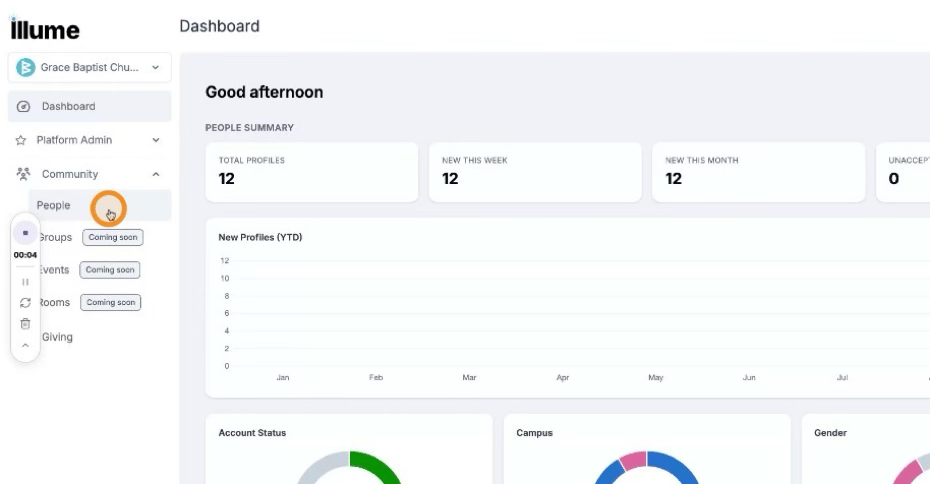
Step 1: Open the People Section Under Community
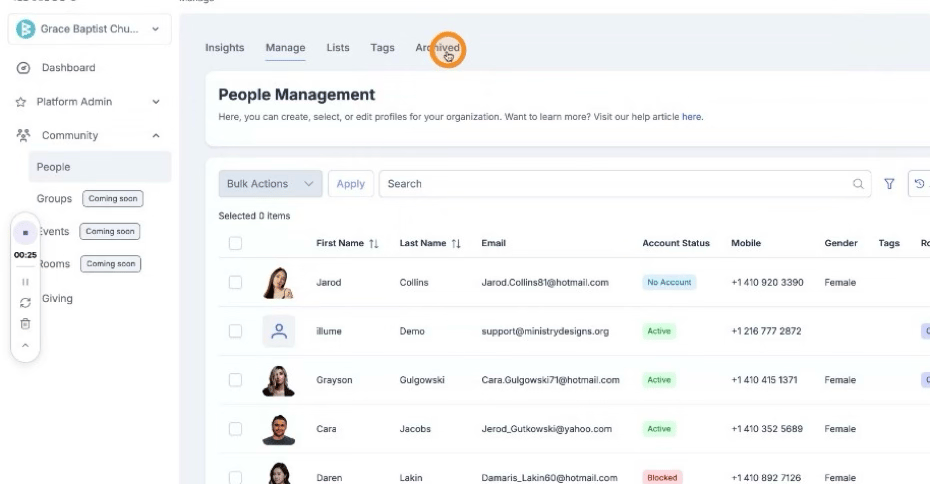
Under the Community area, select People.
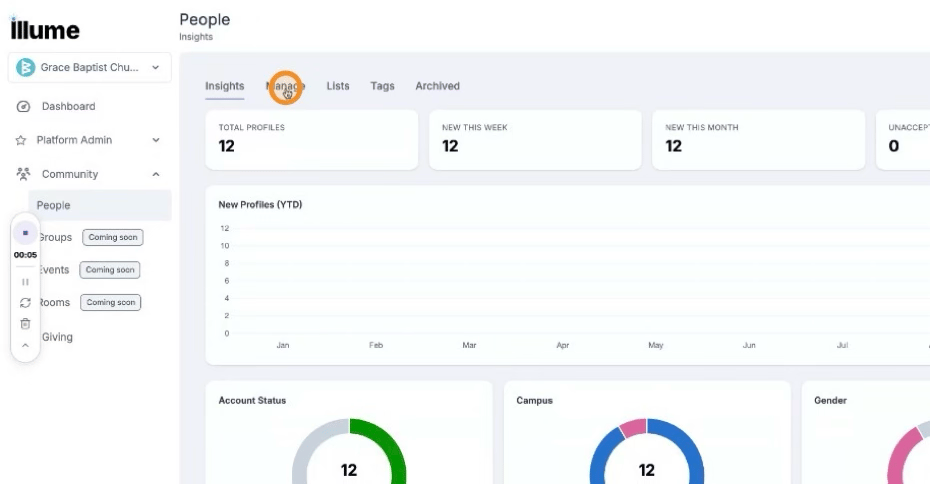
 Then select Manage to access the list of profiles.
 Step 2: Archive an Individual Profile
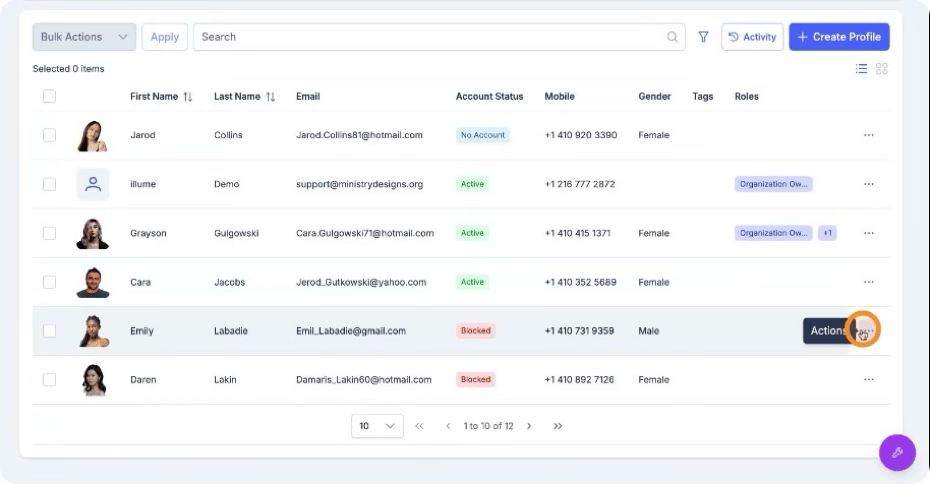
From the Manage view, locate the profile you want to archive and open the Action menu.
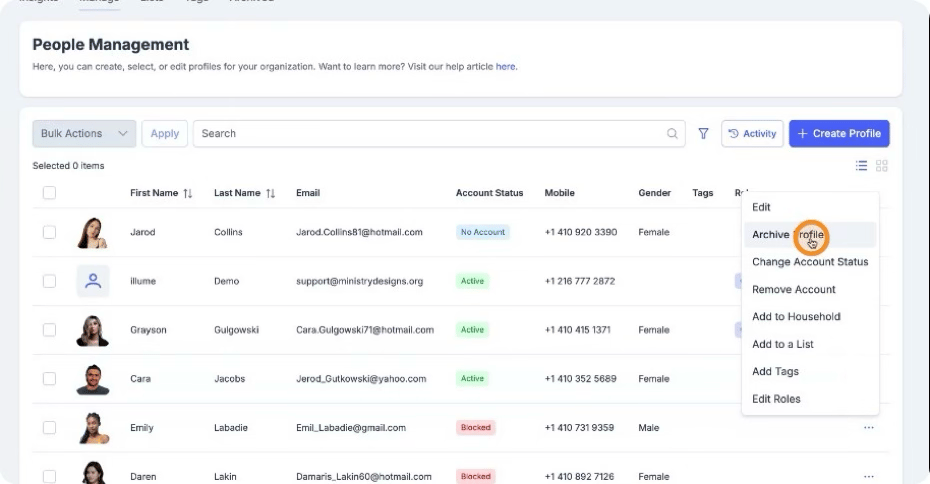
 Click Archive Profile.
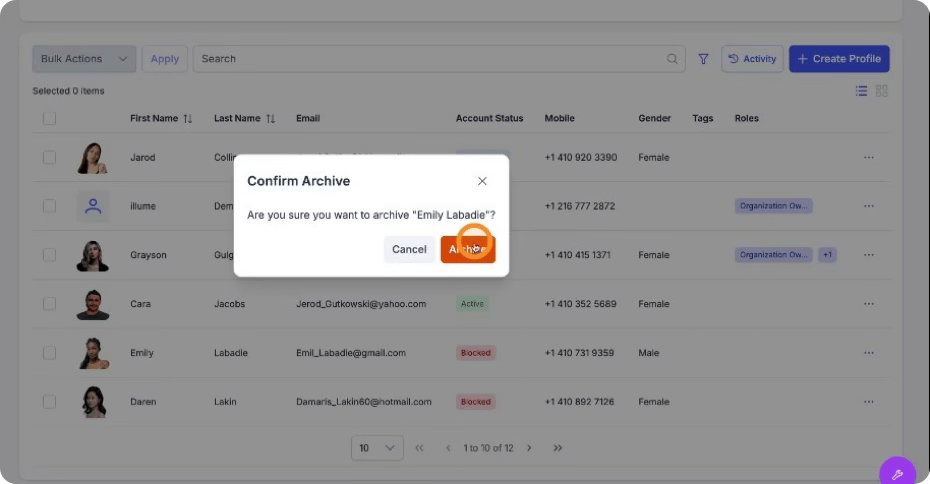
 A confirmation prompt will appear asking you to confirm the archive action. If you would like to proceed, select Archive.
 Step 3: View Archived Profiles
Once you have archived a profile, you can view all archived profiles under the Archive tab.
 Step 4: Restore or Delete an Archived Profile
If you would like to restore someone's account, open the Action menu for that archived profile and click Restore.
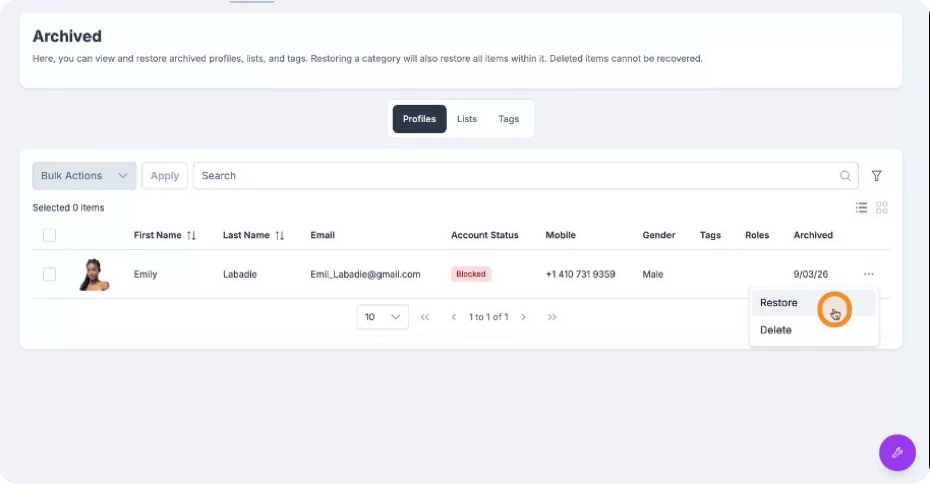 If you would like to delete their account instead, select Delete. After restoring, that profile will once again appear under the Manage tab.