
Step 1: Open Your Church Settings in Illume
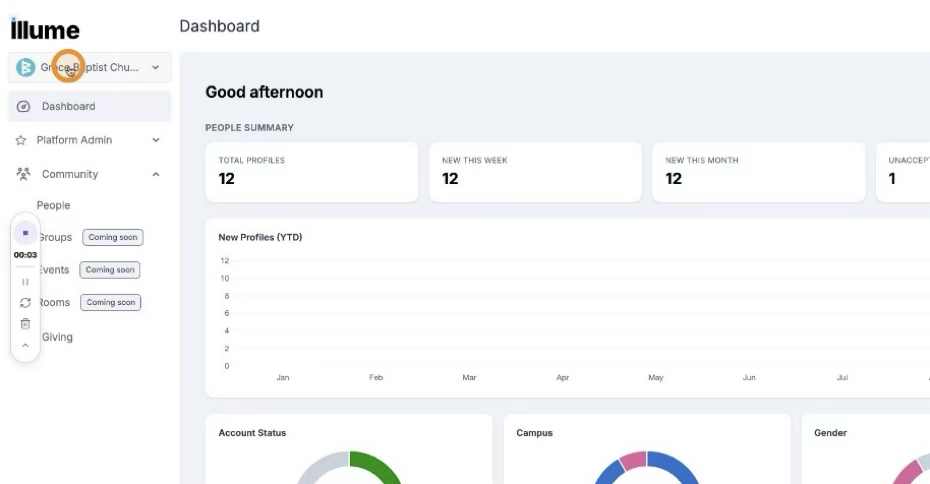
Click your church name in Illume’s navigation to open the church menu.
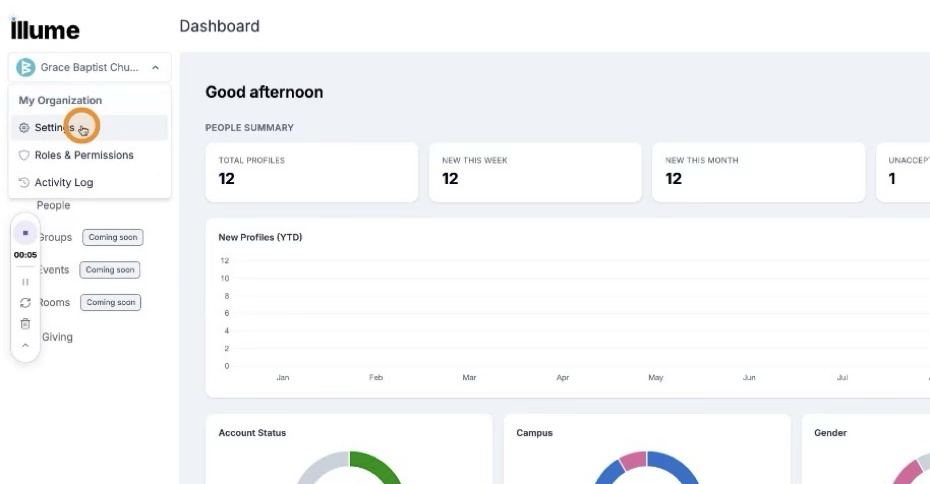
 From the menu that appears, select Settings.
 Step 2: Access the Stripe Integration
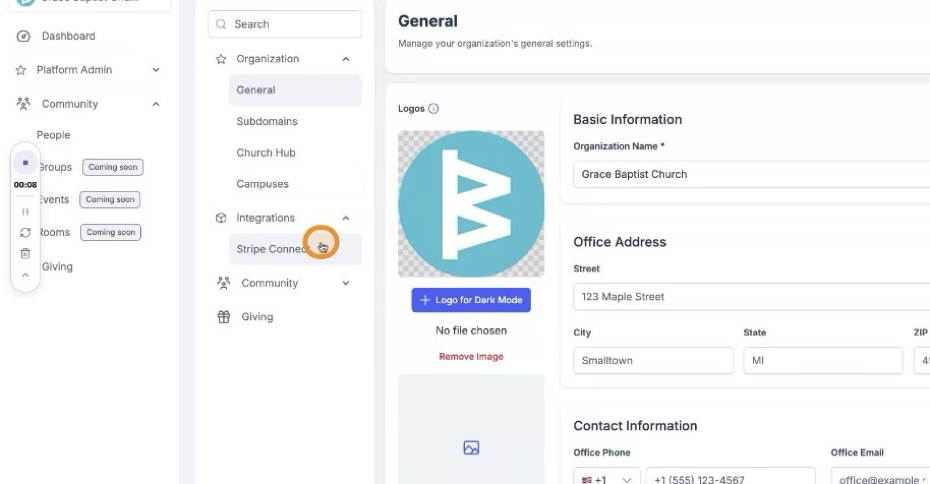
In the Settings area, locate the Integration section. Under Integration, select Stripe Connect.
 Step 3: Connect and Log In to Stripe
On the Stripe Connect page, click Connect to Stripe. You will be redirected to Stripe, where you should log in with your Stripe account credentials and complete any prompts to authorize the connection.
Step 4: Confirm Connection and Enable Giving
After authorization, your Stripe account will be connected to your Illume church account. Once connected, users will be able to give to your church through Illume.