
Step 1: Navigate to the People Section
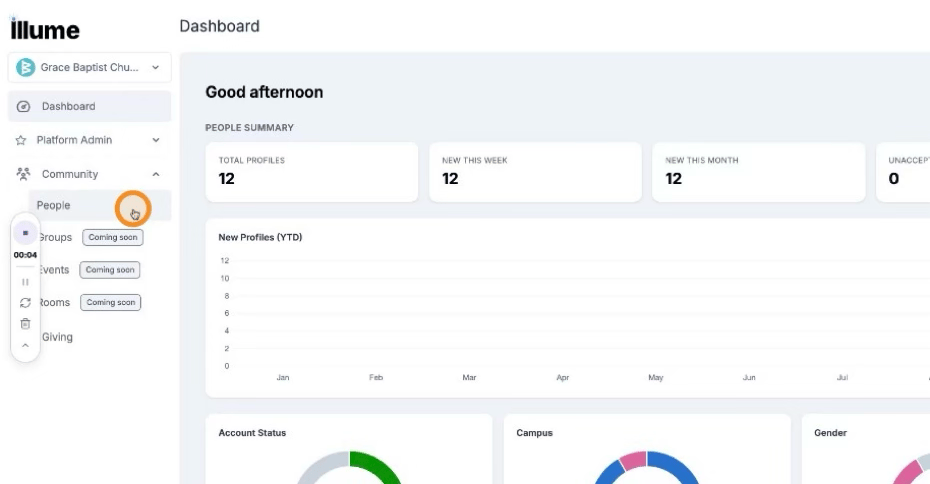
Under Community, select People.
 Then select Manage.
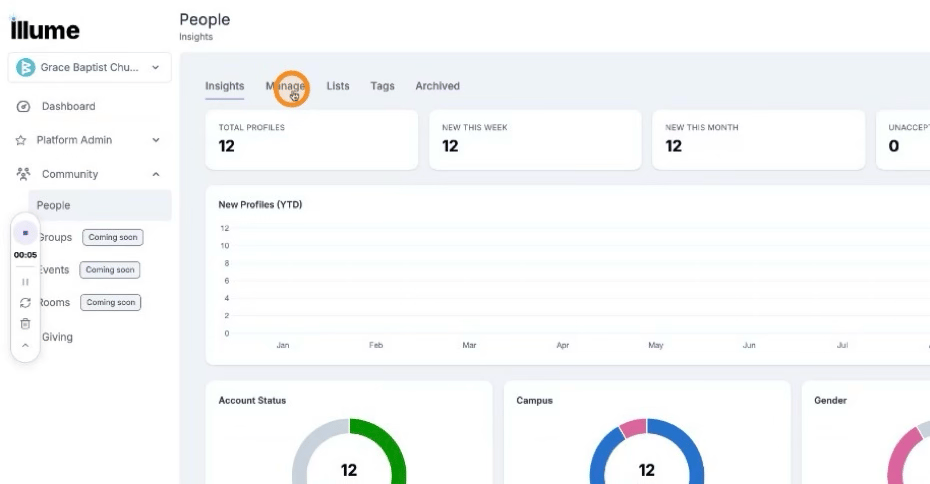 Here you can view each person's account status and see who does or does not have an account.
Step 2: Send an Invite to a Single Person
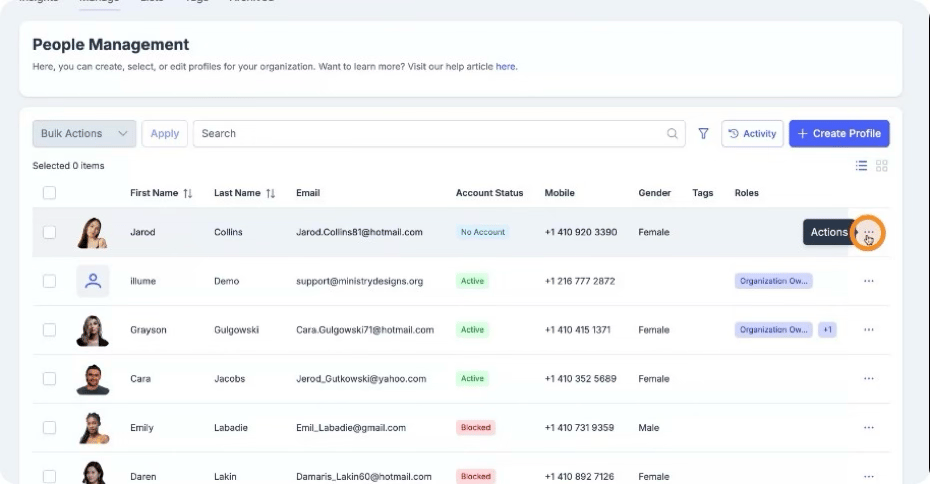
Identify a person who does not have an account.
Click the Action menu for that person.
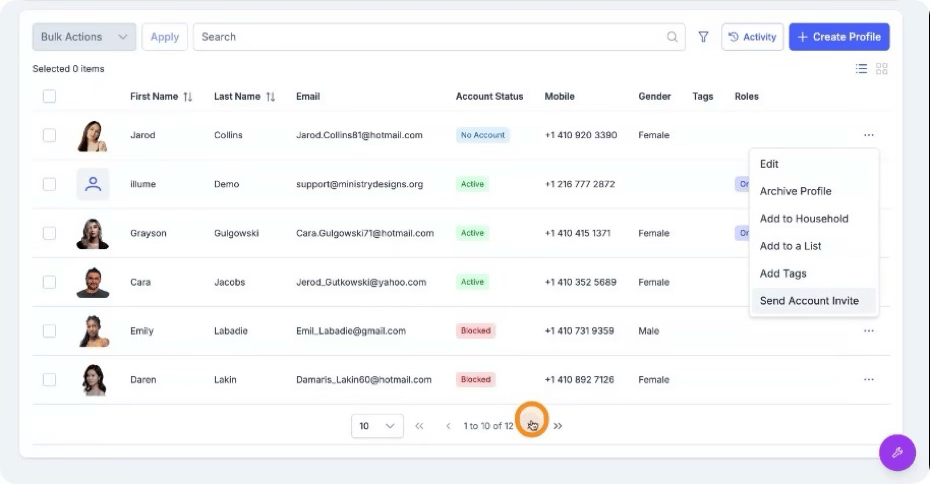
 Select Send Account Invite to send an invitation to that individual.
Step 3: Send Invites to Multiple People
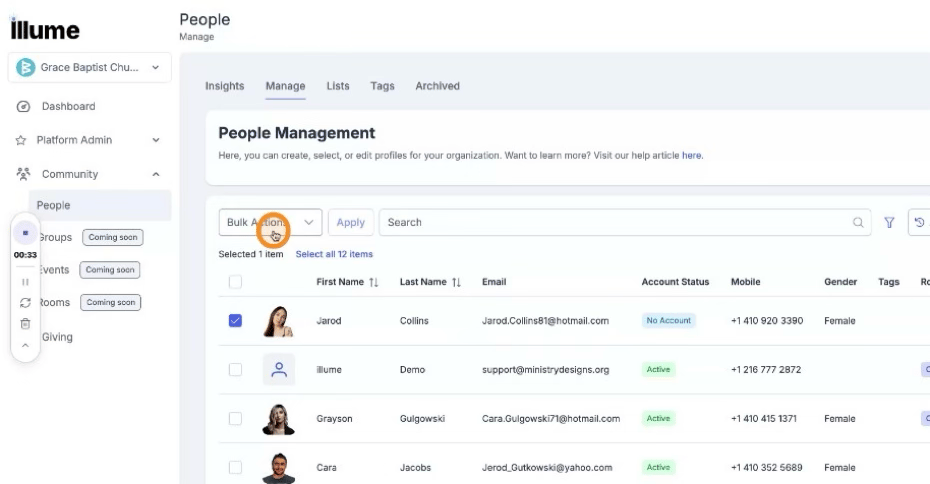
Alternatively, you can send invites to more than one person at the same time. Do this by selecting multiple users. Click Bulk actions.
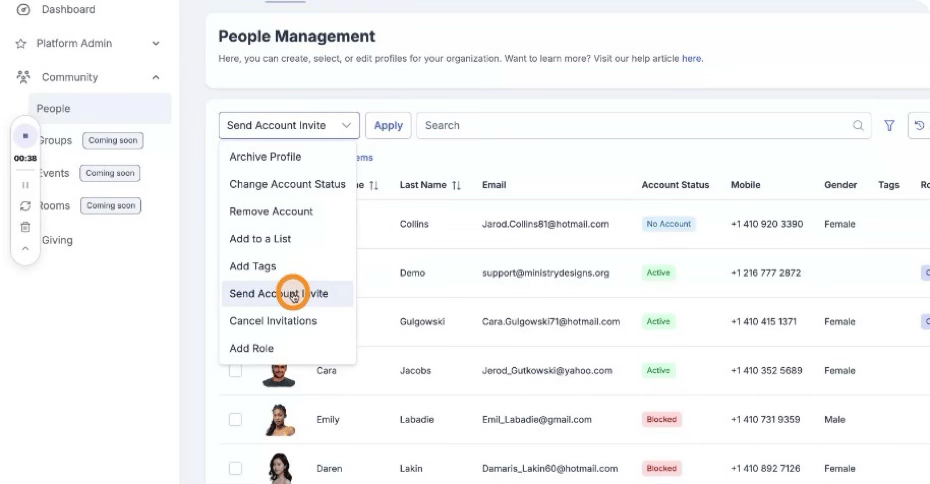
 Then select Send Account Invite.
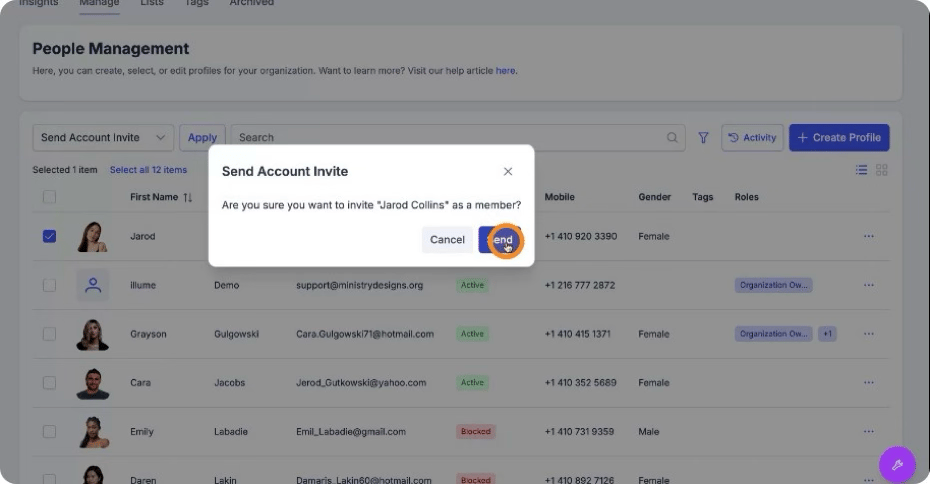
Step 4: Confirm Invite Status and Activation
After sending the invite, you will see an Invited badge on that person's profile. Once they accept the invitation, their account status will change to Active.